Get started with Karbon

It looks like our demo booking platform didn't load properly. If you're running an adblocker, please disable it and refresh the page. If you're still having trouble, please contact us.

Client Onboarding Template

Download your free Client Onboarding template to personalize and use in your bookkeeping or accounting firm.

Sign In to Add to Karbon

Download Client Onboarding Template

Added and downloaded 58 times

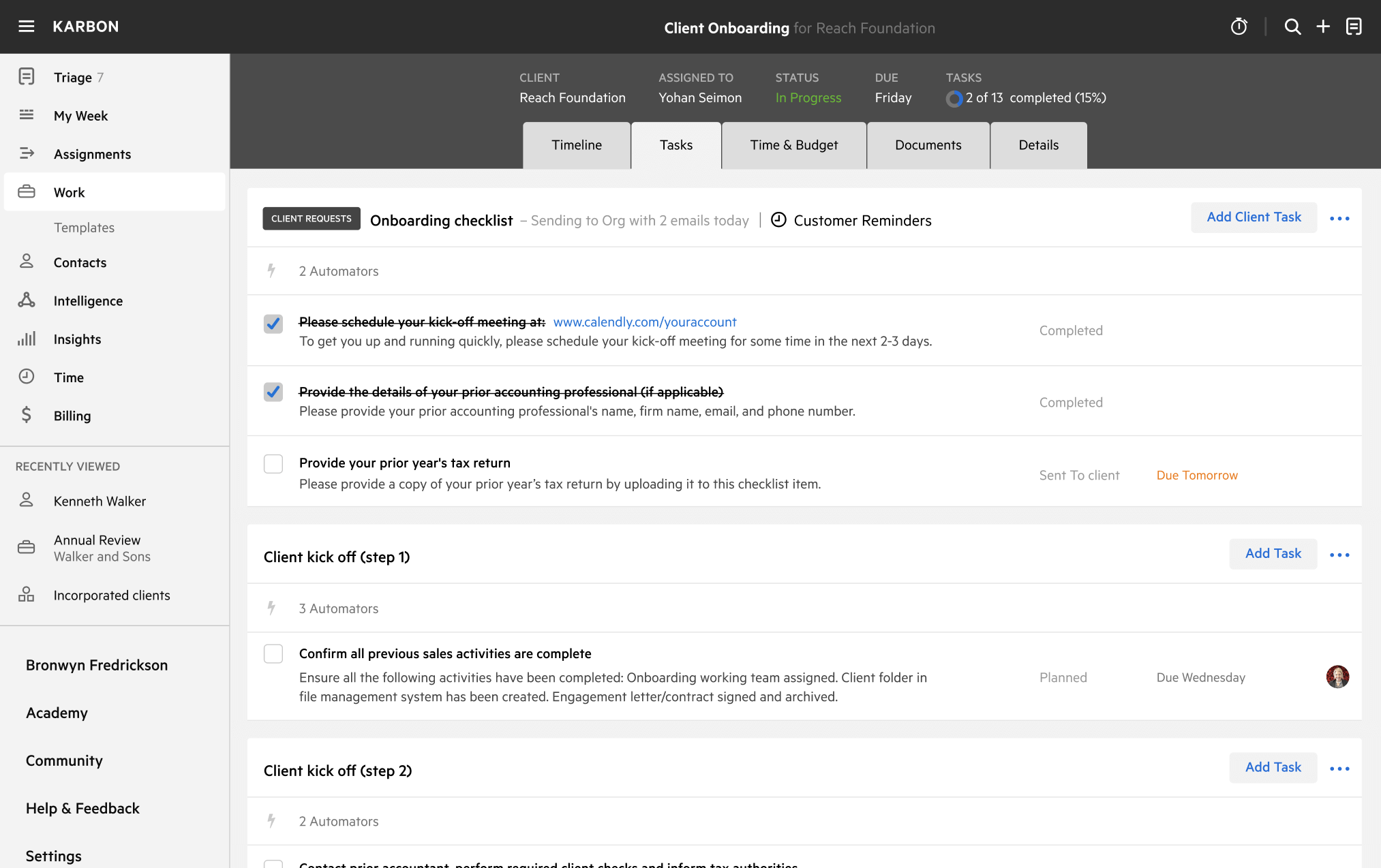
A preview of the templateClient onboarding (New Zealand)CLIENT TASKSOnboarding checklist 1 AutomatorPlease schedule your kick-off meeting at: www.calendly.com/youraccountCompletedBProvide the details of your prior accounting professional (if applicable)CompletedGProvide your prior year's tax returnCompletedDProvide copies of passports and proof of address (as applicable for Anti Money Laundering due diligence)CompletedVClient kick-off (step 1)3 AutomatorsConfirm all previous sales activities are completeCompletedEClient kick-off (step 2)

About this template

This is Karbon's best practice process for onboarding your New Zealand clients into your accounting firm.

It includes the entire onboarding process, including:

  • Using Client Tasks to automatically request initial information from your new client
  • Preparing for the first onboarding meeting with your new client
  • Using Client Tasks that automatically follow your initial meeting in order to collect further information (as discussed during the meeting)
  • Setting them up in your internal systems
  • Reviewing their specific financial situation and customizing the workflow to suit
  • Follow up

To learn how to use this template in action, watch this short video.

How to use this template

Add this template to Karbon

Get more out of this template by adding it to your Karbon Practice Management cloud-based software, including:

  • Time and Budget Estimates
  • Task Automation
  • Client Task Automation
  • Client Work Scheduling
Sign In to Add to Karbon

Karbon Practice Management

A preview of the templateClient onboarding (New Zealand)CLIENT TASKSOnboarding checklist 1 AutomatorPlease schedule your kick-off meeting at: www.calendly.com/youraccountCompletedPProvide the details of your prior accounting professional (if applicable)CompletedGProvide your prior year's tax returnCompletedNProvide copies of passports and proof of address (as applicable for Anti Money Laundering due diligence)CompletedIClient kick-off (step 1)3 AutomatorsConfirm all previous sales activities are completeCompletedYClient kick-off (step 2)

Not currently a Karbon customer?

Discover Karbon

How to customize a template

You can edit any saved template to fit your firm's specific needs. Before making changes, duplicate a pre-populated template by selecting it, clicking the "..." menu, and choosing Duplicate.

Common customizations:

  • Reorder or nest tasks
  • Add or remove tasks
  • Edit the client task email
  • Use or modify Tasklist automators

Read the support article to learn more.

About Karbon

Karbon is collaborative work management software for accounting firms.

Related templates

Other workflow templates you might find useful.
Practice Management
Built for Growth

Get the most out of workflow templates by applying them in Karbon for automation, app integrations, and team collaboration.

Discover Karbon
A work template dashboard in Karbon displaying a client onboarding checklist.