Month-End Close in Dext
Created by Dext
Increase efficiency when preparing and completing your clients' month-end close with this streamlined workflow.
444 downloads
Download your free Month-End Close in Intuit QuickBooks template to personalize and use in your bookkeeping or accounting firm.
Added and downloaded 1104 times
This is the Intuit QuickBooks best practice workflow for month-end close. It assumes the bookkeeping (typically done weekly) has been done in conjunction (not included).
This template uses Karbon's Automators and Client Tasks to prepare, review and complete your clients' month-end close reports.
Get more out of this template by adding it to your Karbon Practice Management cloud-based software, including:
Alternatively, you can
.Other workflow templates you might find useful.
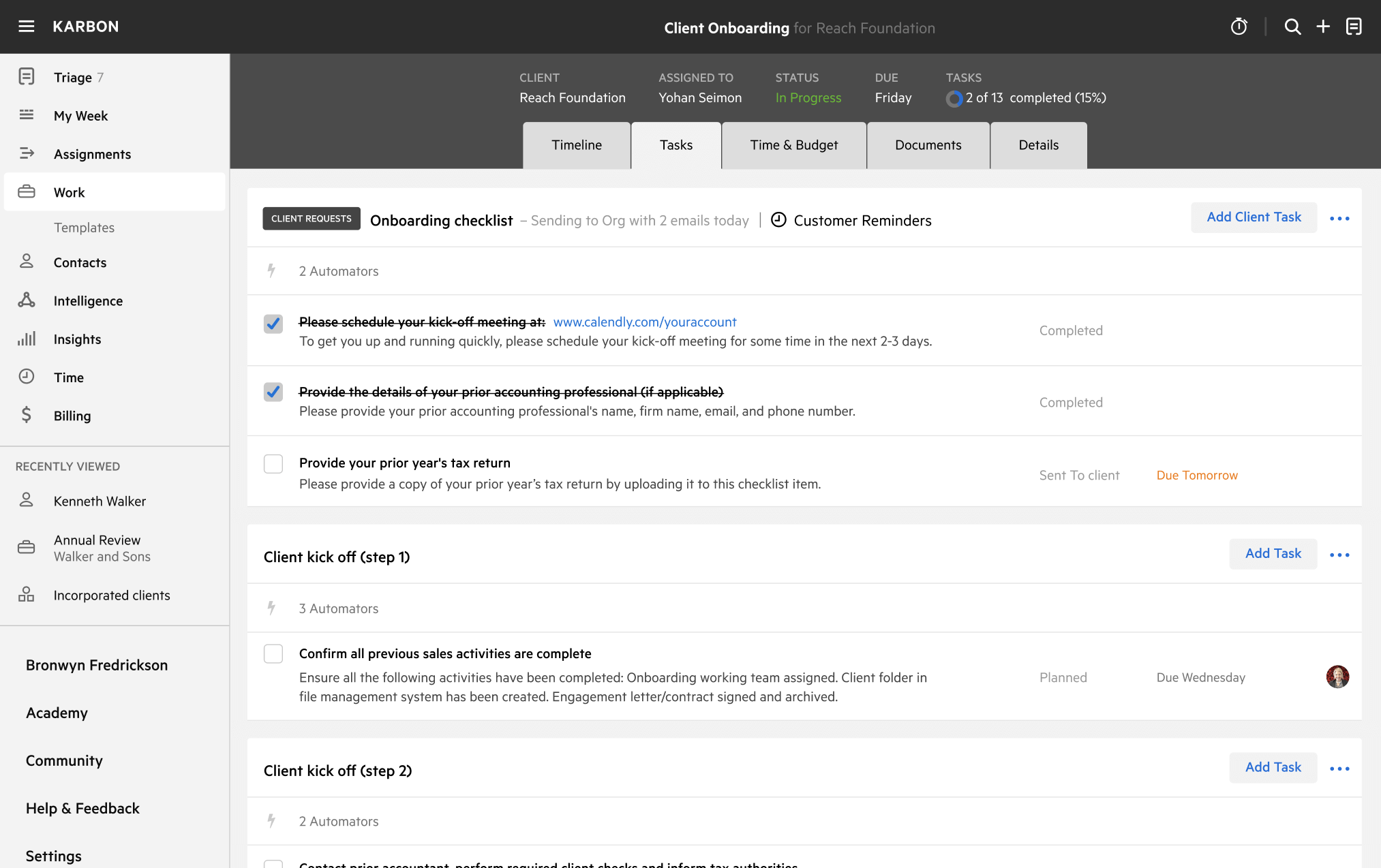

Karbon Practice Management
Not currently a Karbon customer?
You can edit any saved template to fit your firm's specific needs. Before making changes, duplicate a pre-populated template by selecting it, clicking the "..." menu, and choosing Duplicate.
Common customizations:
Read the support article to learn more.
Everything we do at Intuit is in service to our mission of powering prosperity around the world. We are dedicated to providing the tools, skills and insights that empower people to take control of their finances and live the lives they want. We work toward that mission in a variety of ways, but the way we make progress at scale is through our products and cornerstone brands — TurboTax, QuickBooks, and Mint.
Created by Dext
Increase efficiency when preparing and completing your clients' month-end close with this streamlined workflow.
Streamline and standardize your month-end process with this dedicated workflow.